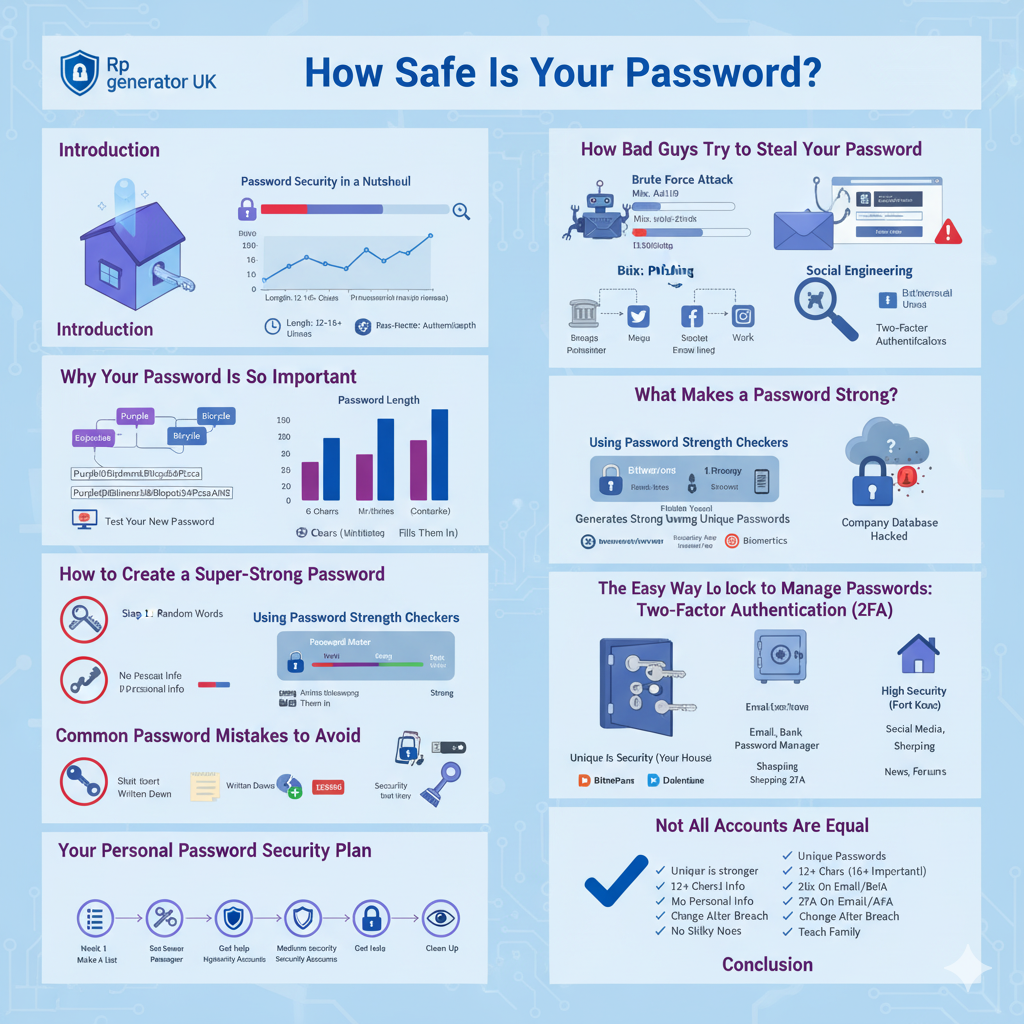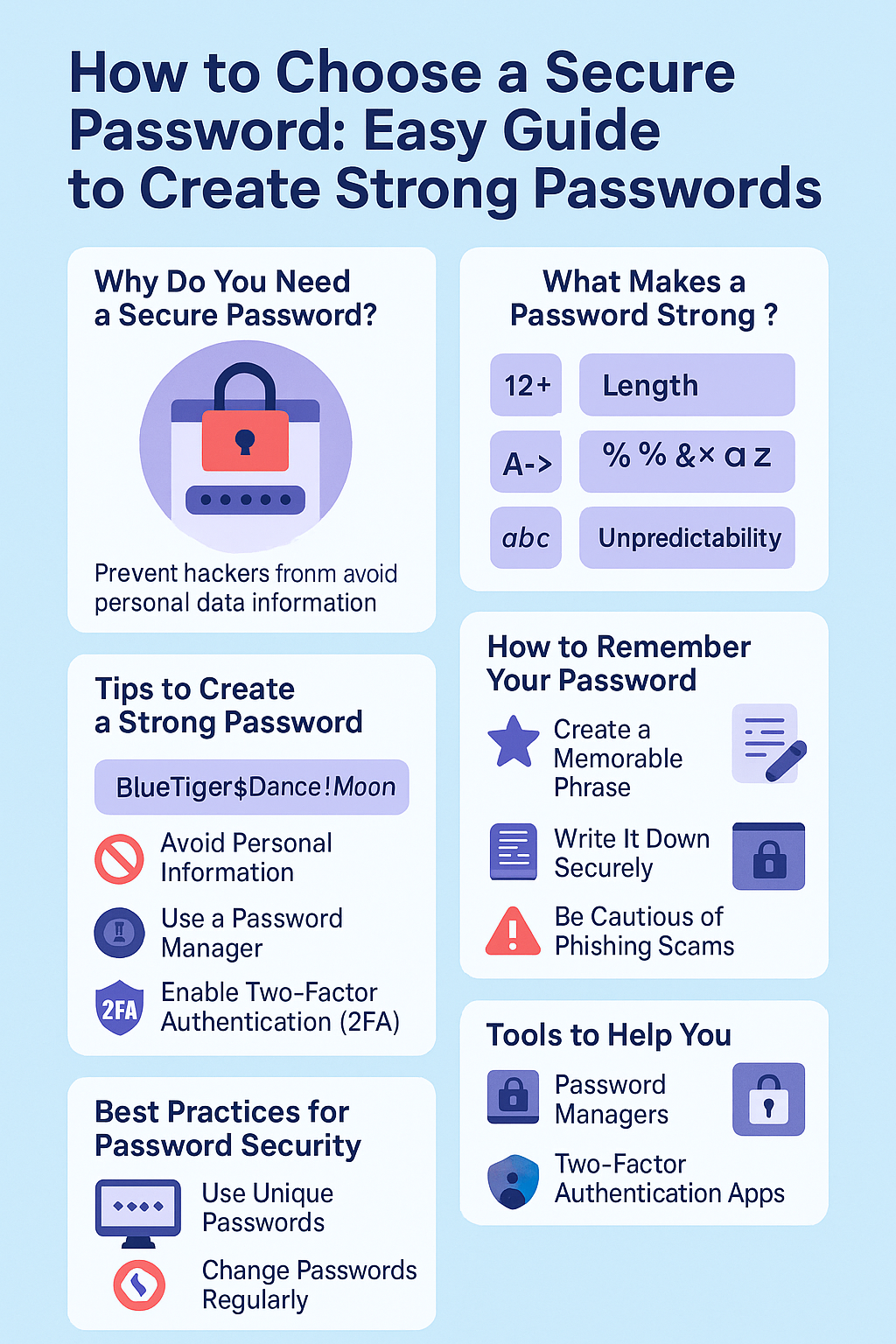


Have you ever wondered if your password is truly safe? Maybe you’ve used the same password for years, or perhaps you’ve created something you think is strong, but you’re not quite sure. Well, you’re not alone. Millions of people around the world use weak passwords every day without even knowing it. In fact, a friend of mine once told me she used “password123” for her email account for over five years. She thought she was safe until someone hacked her account and sent spam messages to all her contacts. That’s when she realized the importance of doing a password security test.
In this guide, I’ll walk you through everything you need to know about password security and how to check if your passwords are strong enough to keep hackers away. Don’t worry – I’ll use simple, everyday words that anyone can understand. By the end of this article, you’ll know exactly how to test password security and protect yourself online.
What Is a Password Security Test?
Let me explain this in the simplest way possible. A password security test is like a health checkup for your password. Just like you go to the doctor to see if your body is healthy, you can test your password to see if it’s strong enough to protect your accounts.
When you do a password strength checker test, you’re basically asking: “How long would it take for someone to guess or crack my password?” The answer to this question tells you whether your password is safe or if you need to change it right away.
Think of it this way: if your password is like a lock on your front door, a password security test checks whether that lock is strong enough to keep burglars out. A weak lock (weak password) can be broken in seconds. A strong lock (strong password) could take years or even centuries to break.
Why Should You Test Your Password Strength?
Before we dive into the “how,” let’s talk about the “why.” Understanding why password protection matters will motivate you to take action.
Hackers Are Getting Smarter
First of all, hackers today have powerful computers and clever tricks to steal passwords. They use special software that can try millions of password combinations in just minutes. If your password is something simple like “123456” or “qwerty,” a hacker can crack it faster than you can make a cup of tea.
Moreover, hackers share lists of stolen passwords on the dark web. If your password has been leaked from another website, criminals might already have it. This is why doing a password breach check is so important.
One Weak Password Can Ruin Everything
Here’s another scary fact: most people use the same password for multiple accounts. Imagine if a hacker gets your password from one website. They’ll immediately try that same password on your email, bank account, social media, and every other service you use. Therefore, testing your password safety isn’t just about protecting one account – it’s about protecting your entire digital life.
Peace of Mind
Finally, knowing that your passwords are strong gives you peace of mind. You can sleep better at night knowing that your personal information, photos, messages, and money are safe behind strong passwords. Additionally, you won’t have to deal with the stress and hassle of recovering hacked accounts.
Understanding Password Strength: What Makes a Password Strong?
Before you can do a proper password security test, you need to understand what makes a password strong or weak. Let’s break this down into simple parts.
Length Matters Most
The most important factor in password strength is length. A longer password is always harder to crack than a shorter one. Think about it: if you have to guess a two-letter password, there are only a few hundred possibilities. But if you have to guess a 16-letter password, there are trillions of possibilities.
Security experts recommend that your password should be at least 12 characters long. However, 16 characters or more is even better. Consequently, when you use an online password tester, it will always check the length first.
Mix Different Types of Characters
A strong password uses a combination of different character types:
- Uppercase letters (A, B, C, etc.)
- Lowercase letters (a, b, c, etc.)
- Numbers (0, 1, 2, etc.)
- Special symbols (!@#$%^&*, etc.)
For example, instead of using “password,” you could use “P@ssw0rd!2024” – though even this isn’t the best choice because it’s still based on a common word. Nevertheless, mixing different characters makes your password much stronger.
Avoid Personal Information
Never use information that someone could easily find out about you. This includes:
- Your name or your family members’ names
- Your birthday or anniversary dates
- Your pet’s name
- Your phone number
- Your address
I remember my colleague once used his daughter’s name and birth year as his password. Within a week, someone who knew him personally guessed it and accessed his work files. This taught him a valuable lesson about password protection.
Don’t Use Common Words or Patterns
Hackers have lists of the most commonly used passwords. Passwords like “password,” “123456,” “qwerty,” “iloveyou,” and “welcome” are cracked almost instantly. Similarly, keyboard patterns like “asdfgh” or “zxcvbn” are also very weak.
Furthermore, avoid simple substitutions like replacing “o” with “0” or “i” with “1” in common words. Hackers know these tricks, and their password-cracking tools account for them.
Use Unique Passwords for Each Account
This is absolutely critical. Every account should have its own unique password. If you reuse passwords, then one data breach can compromise all your accounts. Therefore, password management becomes essential when you have dozens of different accounts.
How to Do a Password Security Test: Step-by-Step Guide
Now that you understand what makes a password strong, let’s get into the practical part. Here’s exactly how to test password security using different methods.
Step 1: Use an Online Password Strength Checker
The easiest way to check password strength online is by using a reputable password tester website. These tools analyze your password and tell you how strong it is.
Here’s how to do it:
First, open your web browser and search for a trusted password strength checker. Some popular options include:
- Bitwarden Password Tester
- Security.org Password Checker
- NordPass Password Strength Tool
- Kaspersky Password Checker
Next, type your password into the password analyzer tool. Don’t worry – reputable tools don’t store or send your password anywhere. The analysis happens right in your browser.
Then, look at the results. The tool will usually tell you:
- How long would it take to crack your password
- What’s wrong with your password (too short, no numbers, etc)
- A password security score (like weak, medium, or strong)
For instance, if you type in “password123,” the tool might say it can be cracked in less than a second. On the other hand, a password like “Tr!cky$Elephant#2024@Moon” might take millions of years to crack.
Important tip: Only use well-known, trusted password testing websites. Be careful with unknown sites because some fake tools are actually designed to steal passwords.
Step 2: Check If Your Password Has Been Leaked
Even if your password seems strong, it might have already been stolen in a data breach. This is where a password breach check comes in handy.
Here’s what to do:
Visit Have I Been Pwned, which is the most trusted service for checking password leaks. This website was created by security expert Troy Hunt and contains billions of passwords from known data breaches.
On the homepage, you’ll see two options: checking your email address or checking your password. For a password leak checker test, click on “Passwords” at the top menu.
Type in your password and click the search button. The website will tell you if your password has appeared in any known breaches. If it has, you’ll see how many times it was found.
What to do with the results:
If your password has been leaked, change it immediately on every account where you’ve used it. Even if you think that particular breach didn’t affect your accounts, criminals share these passwords and will try them everywhere.
Conversely, if your password hasn’t been found in any breaches, that’s good news – but it doesn’t mean your password is necessarily strong. You still need to check its password strength using the methods described above.
Step 3: Manual Password Review Against Best Practices
Sometimes, the best password security test is a simple manual check. You don’t need any tools for this – just ask yourself these questions:
Is your password at least 12 characters long?
Passwords provide better password protection.
Does it contain uppercase letters, lowercase letters, numbers, and symbols?
A good password should have all four types. This increases password complexity and makes it harder to crack.
Is it unique to this account only?
If you’re using the same password on multiple sites, you’re putting all those accounts at risk. Proper password management means unique passwords everywhere.
Does it avoid personal information? Names, birthdays, addresses, and phone numbers are all no-nos. Hackers can find this information easily on social media.
Is it hard to guess but easy for you to remember?
The best passwords are those that make sense to you but look like random gibberish to others. For example, you might use the first letters of a sentence only you know: “My dog Buddy loves to chase squirrels in the park on Sundays!” becomes “MdBltcsitpoS!” – which is much stronger.
Does it avoid common words or keyboard patterns?
Dictionary words and patterns like “qwerty” or “123456” are weak, even if you add numbers or symbols.
If you answered “no” to any of these questions, then you need to create a new password. Therefore, continue reading to learn how to create stronger passwords.
Step 4: Use a Password Manager’s Built-in Tester
If you use a password manager (and you really should), most of them include a built-in password audit tool. These tools automatically check all your saved passwords and tell you which ones are weak, reused, or compromised.
Popular password managers include:
- LastPass
- 1Password
- Dashlane
- Bitwarden
- NordPass
How to use the built-in security test:
First, open your password manager application. Then, look for a section called “Security Dashboard,” “Password Health,” “Password Audit,” or something similar. Different password managers use different names, but the feature is usually easy to find.
Next, run the password security scanner. The tool will analyze all your saved passwords and show you:
- Weak passwords that are easy to crack
- Reused passwords that you’ve used on multiple sites
- Old passwords that you haven’t changed in a long time
- Compromised passwords that have appeared in data breaches
Finally, the password manager will prioritize which passwords you should change first. Start with your most important accounts, like email, banking, and work-related services.
The beauty of using a password manager for your password testing is that it not only identifies problems but also helps you fix them. You can generate strong, unique passwords for each account and store them securely, all in one place.
Step 5: Test Your Password Against Common Hacking Methods
To truly understand password security, it helps to think like a hacker. Let me explain the common methods hackers use, so you can test whether your password would survive these attacks.
Dictionary Attack: Hackers use software that tries every word in the dictionary, plus common variations. If your password is “sunshine” or even “Sunshine123,” it will fall quickly to this method. To test this, ask yourself: “Is my password based on any real word?” If yes, it’s vulnerable.
Brute Force Attack: This method tries every possible combination of characters until it finds the right one. Short passwords are especially vulnerable. A six-character password can be cracked in hours, while a 16-character password could take millions of years. Therefore, password length is your best defence against brute force attacks.
Credential Stuffing: Hackers use passwords stolen from one website and try them on other websites. This is why using unique passwords is so critical. If you’ve used the same password on multiple sites, one breach puts everything at risk.
Social Engineering: Sometimes hackers don’t crack passwords – they trick you into revealing them. They might pretend to be tech support or send fake emails asking you to reset your password. The best password protection against this is education and awareness.
Advanced Password Security Testing for Organizations
If you’re responsible for password security at a company or organization, you need more advanced testing methods. Let me explain how professional security teams conduct password audits.
Password Cracking with Professional Tools
Security professionals use specialized software like John the Ripper or Hashcat to test password strength. These tools attempt to crack password hashes (encrypted versions of passwords) using various methods.
How it works:
First, the security team obtains password hashes from the system they’re testing. Then, they run the password cracking software, which tries billions of combinations based on dictionaries, common patterns, and brute force.
The goal isn’t actually to steal passwords – it’s to identify which employees are using weak passwords that could be easily compromised. Once identified, those users are required to change their passwords to something stronger.
Password Policy Assessment
Another important aspect of organizational password security testing is reviewing and enforcing password policies. A good password policy should require:
- Minimum length of at least 12-16 characters
- Complexity requirements (mix of character types)
- Unique passwords (no reuse across systems)
- Multi-factor authentication (MFA) wherever possible
- Regular security awareness training for employees
Moreover, the policy should avoid forcing frequent password changes without reason, as this often leads to weaker passwords. Modern security guidance suggests changing passwords only when there’s evidence of compromise.
Vulnerability Scanning and Penetration Testing
Organizations should also conduct regular vulnerability scans using tools like Nessus or OpenVAS. These tools scan systems for known vulnerabilities related to password storage, transmission, and authentication.
Additionally, penetration testing involves ethical hackers attempting to break into systems using the same methods that real criminals would use. This includes trying to crack passwords, exploiting authentication weaknesses, and testing password reset procedures.
Testing Authentication and Reset Processes
A complete password security test should also examine how passwords are changed and reset. Security teams check for:
- Rate limiting on login attempts (to prevent brute force attacks)
- Secure password reset mechanisms (not easily bypassed)
- Proper encryption of passwords during transmission
- Strong security questions (not easily guessable)
- Implementation of multi-factor authentication
Furthermore, they test whether the system properly handles locked accounts after multiple failed login attempts. This is an important defence against password cracking attempts.
Creating Stronger Passwords After Testing
Once you’ve completed your password security test and identified weak passwords, it’s time to create stronger ones. Let me share some practical strategies that actually work.
The Passphrase Method
One of the best ways to create a strong, memorable password is to use a passphrase. This involves combining several random words together to create a long password.
For example: “Correct-Horse-Battery-Staple” is much stronger than “P@ssw0rd” even though it might seem simpler. The key is using truly random words that aren’t related to each other.
To make it even stronger, you can:
- Add numbers between words: “Correct7Horse2Battery9Staple”
- Replace some letters with symbols: “Correct-H0rse-B@ttery-St@ple”
- Use capitalization irregularly: “corRECT-horSE-batTERY-staPLE”
The beauty of this method is that it’s long (great for password strength), complex (uses different characters), and relatively easy to remember because it tells a weird story in your mind.
The Sentence Method
Another great technique is taking a meaningful sentence and using the first letter of each word, plus some numbers and symbols.
For instance: “My daughter Emily was born in Seattle on March 15, 2018!” becomes “MdEwbiSoM15,2018!” This creates a strong 18-character password that mixes everything.
Consequently, you can remember the sentence easily, but the password looks completely random to anyone else. This method works well for creating unique passwords for different accounts by changing the sentence slightly each time.
Using a Secure Password Generator
If creating passwords manually feels too difficult, use a secure password generator. Most password managers include this feature, or you can use online tools from reputable sources like:
- Bitwarden Password Generator
- LastPass Password Generator
- Strong Random Password Generator
These tools create completely random passwords that are extremely strong. The downside is they’re impossible to remember, which is why they work best with a password manager.
How to use a password generator:
First, decide on the password length. I recommend at least 16 characters for important accounts. Then, select which character types to include (uppercase, lowercase, numbers, symbols). Most tools default to including all types, which is best for password security.
Next, click “Generate” to create a new password. If you don’t like the result, simply generate another one. Finally, copy the password and save it in your password manager or write it down and store it in a secure location.
The Role of Multi-Factor Authentication in Password Security
Even the strongest password can be compromised. That’s why multi-factor authentication (MFA) is so important. Let me explain how MFA enhances your password protection.
What Is Multi-Factor Authentication?
MFA adds an extra layer of security beyond just your password. To log in, you need two or more of these factors:
- Something you know (your password)
- Something you have (your phone, a security key, or an authentication app)
- Something you are (your fingerprint or face scan)
For example, when you log into your bank account, you might enter your password (something you know) and then receive a text message with a code (something you have). Both are required to access your account.
Therefore, even if a hacker steals your password, they still can’t get in without the second factor. This makes MFA one of the most effective password security measures available.
Types of Multi-Factor Authentication
There are several types of MFA, ranging from less secure to more secure:
SMS codes: You receive a text message with a code. This is better than nothing, but SMS can be intercepted by sophisticated hackers.
Authentication apps: Apps like Google Authenticator, Microsoft Authenticator, or Authy generate time-based codes. This is more secure than SMS.
Hardware security keys: Physical devices like YubiKey or Google Titan provide the strongest MFA protection. You plug them into your computer or tap them against your phone.
Biometrics: Fingerprint or face recognition on your phone or computer. This is convenient and reasonably secure for personal devices.
Enabling MFA on Your Accounts
After doing a password security test, the next step should be enabling MFA on all your important accounts. Here’s how:
First, log into your account and find the security settings. Look for options like “Two-Factor Authentication,” “Two-Step Verification,” “Security Key,” or “MFA.”
Next, follow the setup instructions. Usually, this involves downloading an authentication app, scanning a QR code, and verifying that the codes work.
Finally, save your backup codes in a secure location. Most services provide emergency codes you can use if you lose access to your MFA device. Store these codes in your password manager or write them down and keep them somewhere safe.
Which Accounts Need MFA?
Priority should be given to these accounts:
- Email (because it’s used to reset other passwords)
- Banking and financial accounts
- Work-related accounts
- Social media (to prevent identity theft)
- Online shopping accounts with saved payment information
- Cloud storage accounts with important files
Remember, MFA significantly reduces the risk of account compromise, even if your password strength isn’t perfect. However, strong passwords plus MFA is the ideal combination.
Common Password Security Mistakes to Avoid
Through years of helping people with password security, I’ve seen the same mistakes over and over again. Let me share the most common ones so you can avoid them.
Mistake #1: Writing Passwords on Sticky Notes
I once visited an office where almost every computer had passwords written on sticky notes attached to the monitor. This completely defeats the purpose of having a password! Anyone walking by can see and use them.
If you must write down passwords (though using a password manager is better), keep the paper in a locked drawer or safe – never in plain sight.
Mistake #2: Sharing Passwords via Email or Text
Sending passwords through email, text messages, or messaging apps is risky because these communications can be intercepted. Moreover, the messages remain in your history where they could be discovered later.
If you absolutely must share a password, use a secure method like a password-sharing feature in your password manager or tell the person in person.
Mistake #3: Using Browser Password Managers Without a Master Password
While browser password managers (built into Chrome, Firefox, Safari, etc.) are better than nothing, they often lack the password security features of dedicated password managers. Many don’t require a master password, meaning anyone with access to your computer can see all your passwords.
Therefore, if you use your browser’s password manager, make sure to enable any available security features and use a dedicated password manager for your most sensitive accounts.
Mistake #4: Never Changing Compromised Passwords
Some people do a password breach check and discover their password has been leaked, but they don’t change it because “nothing bad has happened yet.” This is like leaving your front door unlocked because you haven’t been robbed yet.
If a password leak checker shows your password has been compromised, change it immediately – even if you haven’t noticed any suspicious activity.
Mistake #5: Using “Password Reset” Instead of Strong Passwords
I’ve met people who deliberately use weak passwords because they can always use the “forgot password” feature to reset them. This approach has several problems:
First, it’s inconvenient to constantly reset passwords. Second, the reset process itself can be vulnerable to hacking. Third, it doesn’t protect you if a hacker gains access to your email account (which is often used for password resets).
Instead, create strong passwords and store them properly. This provides much better password protection.
Password Security for Different Types of Accounts
Not all accounts need the same level of password security. Let me explain how to prioritize your password testing and protection efforts.
High Priority Accounts (Strongest Security Needed)
These accounts require your absolute strongest passwords and must have MFA enabled:
Email accounts: Your email is the master key to everything else. Hackers who control your email can reset passwords for all your other accounts. Therefore, use a very long, unique password (20+ characters if possible) and the strongest MFA available.
Banking and financial accounts: These protect your money directly. Use strong passwords, enable MFA, and never access these accounts on public Wi-Fi without a VPN.
Work-related accounts: These protect not just your information but your employer’s data too. Follow your company’s password policy strictly and report any suspicious activity immediately.
Password manager account: This account protects all your other passwords, so it needs to be the strongest of all. Use a long, complex master password that you never use anywhere else.
Medium Priority Accounts (Good Security Needed)
These accounts should still have strong, unique passwords, though MFA might be optional:
Social media accounts: While not as critical as banking, these accounts represent your identity and could be used for fraud or harassment if compromised.
Shopping accounts: Especially those with saved payment information or gift card balances.
Cloud storage accounts: These might contain sensitive documents, photos, or backups.
Subscription services: Streaming services, software subscriptions, etc.
Lower Priority Accounts (Basic Security Acceptable)
For accounts with minimal personal information or financial risk, you can be slightly less stringent:
News websites or forums: Where you’re just reading content or posting comments
Trial accounts: That you plan to delete soon
Gaming accounts: Unless they contain purchases or personal information
However, even these accounts should have unique passwords – just perhaps shorter ones (12 characters instead of 20). Never reuse passwords from your high or medium priority accounts.
The Future of Password Security
As we look ahead, password security continues to evolve. Let me share some emerging trends that might change how we think about password protection.
Passwordless Authentication:
Many technology companies are working on passwordless authentication methods. These use biometrics (fingerprint, face recognition) or hardware security keys instead of traditional passwords.
For example, WebAuthn is a standard that lets you log into websites using your fingerprint or face, eliminating the need for passwords. This could make password security testing obsolete in the future.
However, passwords aren’t going away anytime soon. We’ll likely see a gradual transition where passwordless options exist alongside traditional passwords for many years.
Artificial Intelligence in Password Security
AI is being used in two ways:
For defence: AI tools can detect unusual login patterns and flag potential account compromises. They can also help with password audits by identifying weak passwords more intelligently.
For attack: Unfortunately, hackers are also using AI to make their password-cracking tools more effective, creating more sophisticated dictionary attacks.
This means the importance of strong passwords and MFA will only increase over time.
Continuous:
Some systems are experimenting with continuous authentication, which monitors how you type, move your mouse, or hold your phone. If the behavior changes (suggesting someone else is using your account), you’re logged out.
This adds another layer beyond just password strength and MFA, though privacy concerns remain.
Taking Action: Your Password Security Checklist
Now that you understand everything about password security testing, here’s a simple checklist to help you take action today:
Immediate Actions (Do Right Now):
☐ Visit Have I Been Pwned and check if your email and passwords have been in breaches
☐ Use an online password tester to check your most important passwords
☐ Change any passwords that were found in breaches or rated as weak
☐ Enable MFA on your email, banking, and work accounts
This Week:
☐ Download and set up a password manager
☐ Change passwords on your high-priority accounts to strong, unique ones
☐ Run your password manager’s password audit tool to identify other weak passwords
☐ Enable MFA on your social media and shopping accounts
This Month:
☐ Update passwords on all your medium-priority accounts
☐ Set calendar reminders to review your password security quarterly
☐ Educate family members about password safety
☐ Set up secure password sharing with family for accounts you share
Ongoing:
☐ Use your password manager’s generator for all new accounts
☐ Never reuse passwords
☐ Stay informed about major data breaches
☐ Review your password manager’s security dashboard monthly
Conclusion: Your Password Security Journey Starts Now
Congratulations! You’ve learned everything you need to know about how to do a password security test. From understanding what makes passwords strong to using professional password testing tools, you now know to protect yourself online.
Remember that password security isn’t a one-time task – it’s an ongoing practice. Hackers are constantly developing new methods, and new breaches happen regularly. Therefore, make it a habit to regularly check password strength online and stay informed about best practices.
The good news is that protecting yourself doesn’t have to be difficult. By using a password manager, enabling MFA, and following the guidelines in this article, you’ll be more secure than 95% of internet users. You don’t need to be perfect – just significantly better than the average person.
Start today. Right now. Go to one of the password strength checker websites mentioned in this article and test your most important password. Then, based on what you learn, take action to improve it. Your future self will thank you for taking these steps to protect your digital life.
Password security might seem boring or technical, but it’s one of the most important things you can do to protect yourself in our connected world. Whether you’re protecting family photos, your life savings, or your work projects, strong passwords and good password management are your first line of defence.
Now it’s your turn. Use what you’ve learned here to conduct your own password security test, fix any weaknesses you find, and build better habits moving forward. Stay safe out there!