
RP Generator UK
The Ultimate Free Tool for Secure, Strong, and Custom Passwords
100% Free • Private • No Data Stored • Works Offline Once Loaded
Why Strong Passwords Matter
Protect yourself from hackers, identity theft, and data breaches.


How RP Generator UK Works
Simple steps to create ultra-secure passwords instantly.

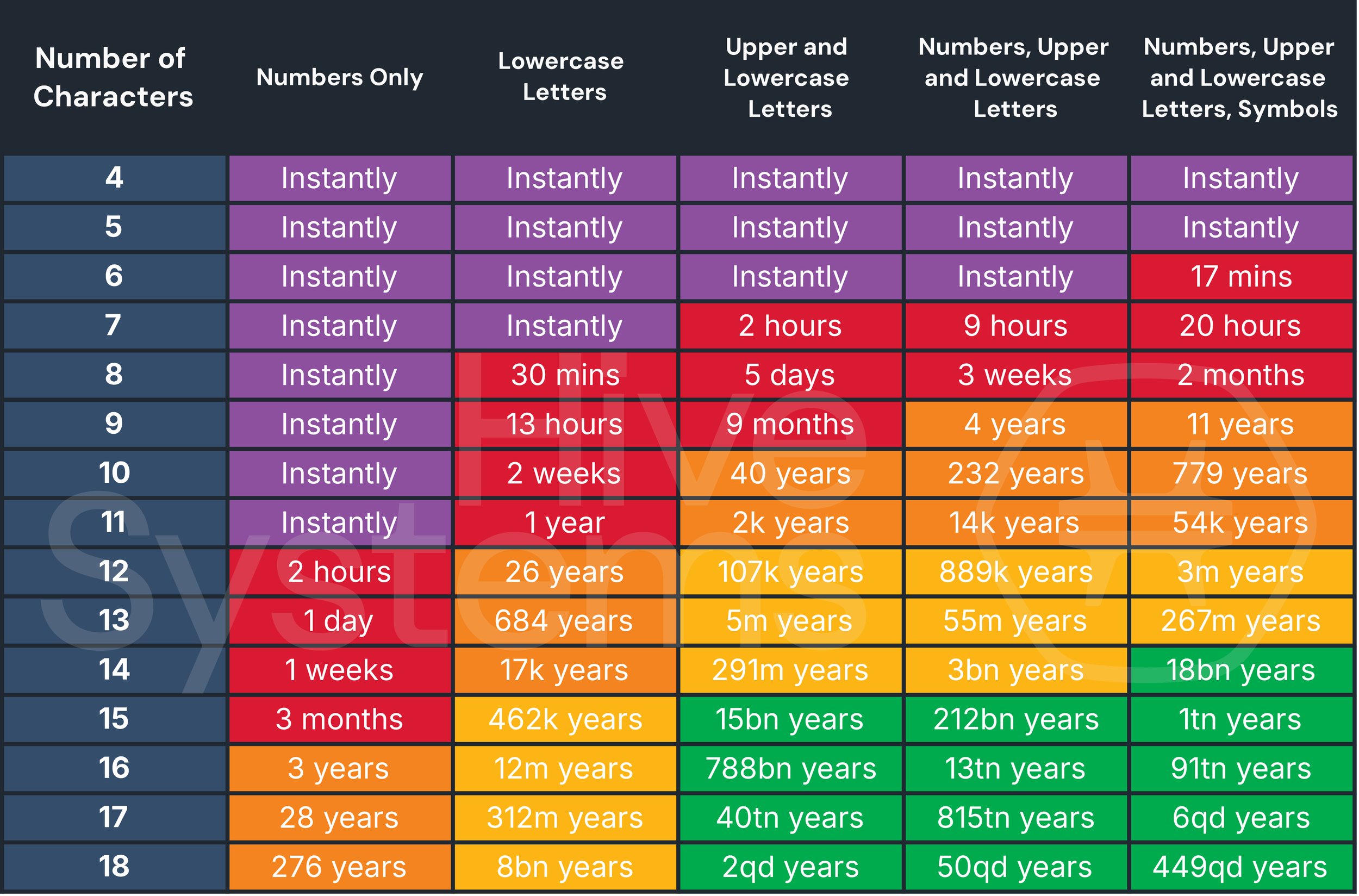
Password Strength Visualization
See how long it takes hackers to crack different passwords.

Key Features of RP Generator UK

Benefits of Using RP Generator UK

Common Mistakes to Avoid

- Using personal info (birthdays, names)
- Reusing passwords
- Short & simple passwords
- Writing them down insecurely
30 Frequently Asked Questions
What is RP Generator UK?
RP Generator UK is a free online tool that creates highly secure, random passwords based on your preferences.
Why use it instead of creating my own?
Human-made passwords are often predictable. This ensures true randomness and complexity.
Is it free?
Yes, completely free for everyone.
Do you store passwords?
No — generated locally in your browser, never stored.
Can I customize length?
Yes, from short to very long.
Can I include symbols/numbers?
Yes, full control over character types.
Does it work on mobile?
Yes, fully responsive on all devices.
Batch generation available?
Yes, create multiple at once.
How do I check strength?
Built-in visual strength meter and analyzer.
One-click copy?
Yes, instant copy button.
Safe on public Wi-Fi?
Yes, local generation — no transmission.
Suitable for work accounts?
Yes, perfect for personal and professional use.
Need an account?
No — instant use, no signup.
Can I set custom rules?
Yes, exclude characters or enforce rules.
AI suggestions for weak passwords?
Yes, get improvement recommendations.
Memorable passphrases?
Yes, random words or themed options.
Safe to share passwords?
Use encrypted channels or managers only.
Good for social media?
Yes, protects all account types.
How often update passwords?
Every 6 months recommended.
Works offline?
Yes, once page is loaded.
Loading indicators?
Yes, smooth animations.
Beginner-friendly?
Very simple interface.
Browser compatibility?
Works on Chrome, Firefox, Edge, Safari, etc.
Length limits?
Very long supported, but check site requirements.
Regenerate same password?
Each is random, but you can copy/reuse.
Accessibility features?
Yes, readable and friendly design.
Enterprise suitable?
Yes, batch for teams/businesses.
Improve old passwords?
Yes, analyze and get suggestions.
Tracks activity?
No tracking or data collection.
Ad-free?
Yes, clean and distraction-free.
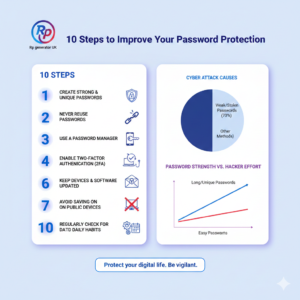

10 Steps to Improve Your Password Protection
Introduction: In today’s digital world, “password protection” is no longer just a technical term used by IT experts. It is something every internet user must
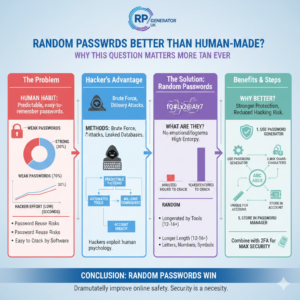
Are Random Passwords Better Than Human-Made?
Introduction: Why This Question Matters More Than Ever Have you ever created a password and felt confident because it included your name, a birthday, or
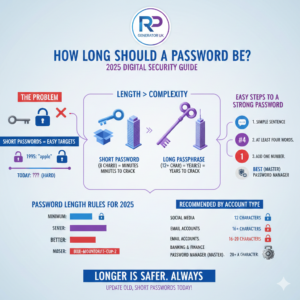
How Long Should a Password Be?
Have you ever found yourself staring at a computer screen, trying to think of a secret code, and wondered how long a password can be
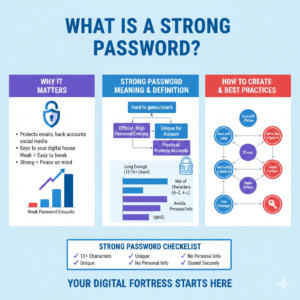
What Is a Strong Password?
Introduction: Why This Question Matters More Than Ever What is a strong password? This question sounds simple, yet it quietly protects your emails, bank accounts,
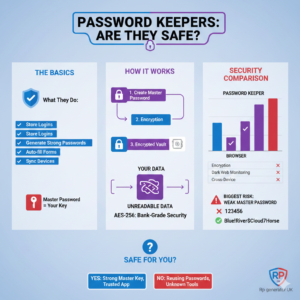
Are password keepers safe?
We will explain how password keepers work, how safe they really are, real-life stories, step-by-step guides, risks, benefits, and how to choose the right one.
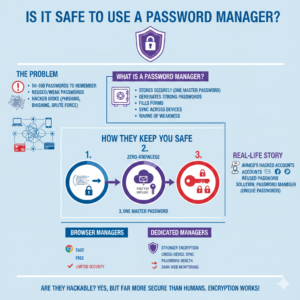
Is It Safe to Use a Password Manager?
In today’s online world, passwords are everywhere. Email, social media, banking, shopping, work tools—everything asks for a password. Now imagine trying to remember 50–100 different
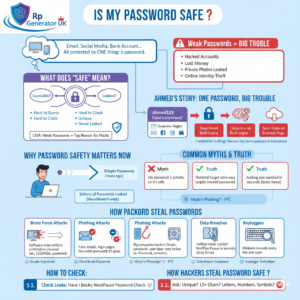
Is My Password Safe?
Have you ever logged into your email, social media, or bank account and suddenly wondered,“Is my password safe?” If yes, you are already one step
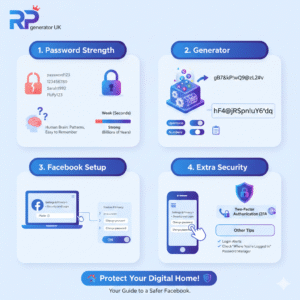
How to Use a Random Password Generator for Facebook?
Introduction: Imagine your Facebook account is your house. Inside, you have all your photos, your conversations with friends, and memories you’ve shared over the years.
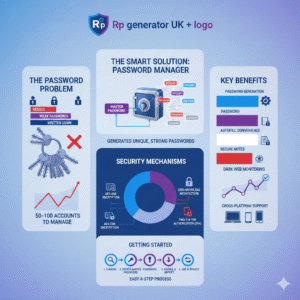
Why is a password manager one of the smartest things you buy?
Introduction: Imagine you have a hundred different doors in your life, and each one needs a unique key. Your front door, your car, your office,
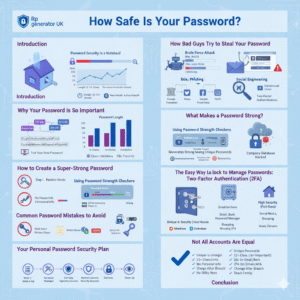
How Safe Is Your Password?
Introduction: Imagine your front door key. You wouldn’t make it simple, like a paperclip that anyone could bend to fit your lock, right? You wouldn’t
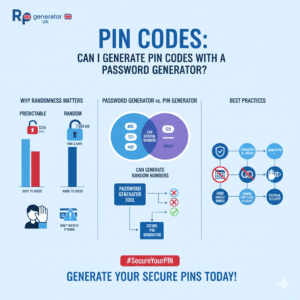
Pin Codes: Can I Generate PIN Codes With a Password Generator?
Introduction: The “Blank Mind” Problem Have you ever been standing at an ATM or setting up a new phone, and suddenly your mind goes empty?
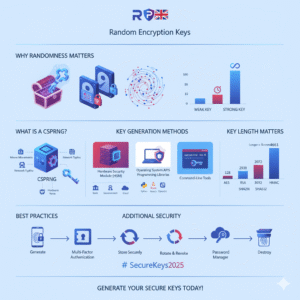
Random Encryption Keys: How to Generate Secure Random Encryption Keys?
Have you ever wondered how your bank keeps your money safe online? Or how messaging apps like WhatsApp protect your private conversations? The answer lies
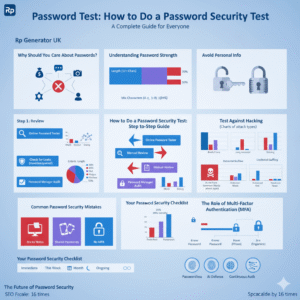
Password Test: How to Do a Password Security Test?
Have you ever wondered if your password is truly safe? Maybe you’ve used the same password for years, or perhaps you’ve created something you think
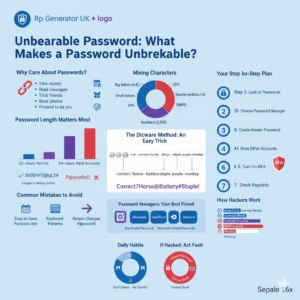
Unbearable Password: What Makes a Password Unbreakable?
Do you use passwords every day? Of course you do. We all use them for email, social media, banking, and shopping. But do you know
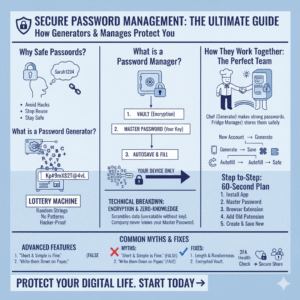
Password Manager: How Password Generators Work with Password Managers?
Why You Need Safe Passwords Let me tell you about Sarah. One morning, she found her email was hacked. Someone stole her password and got
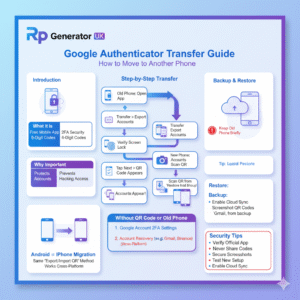
Google Authenticator – How to Use Google Authenticator Transfer to Another Phone
Introduction – Understanding Google Authenticator and Why It’s Important Google Authenticator is a free mobile app by Google that helps protect your online accounts using
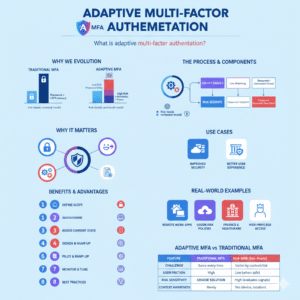
Adaptive Multi-Factor Authentication: What is adaptive multi-factor authentication?
The Definitive Guide Introduction: In an era where cyber-attacks and identity theft are becoming everyday headlines, security measures must evolve beyond the traditional. Enter Adaptive
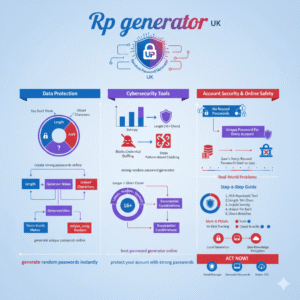
Random Password: How does a strong random password generator protect you?
how a strong random password generator defends your accounts, why it’s better than human-made passwords, and exactly how to pick, use, and trust one today.
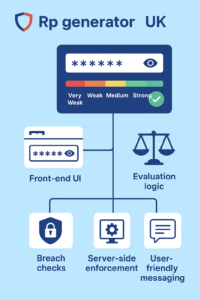
How to add a password strength meter in HTML?
How to add a password strength meter in HTML using plain HTML, CSS, and JavaScript. You’ll learn real code, UX tips, security best practices, and
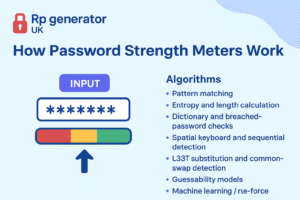
How Password Strength Meters Work (Involving Several Algorithms)
Introduction — why password strength matters We live online. From email to banking to social apps, our lives and money are tied to passwords. A
Password Manager: Why Buying a Password Manager Is Smart?
Introduction: Online life is part of everyday life. Whether you live in the USA, UK, or elsewhere in Europe, you use dozens of websites and
Password Guide: Is it safe to use the same password for multiple online accounts?
Using the same password for many websites might feel simple, but it is not safe. In plain words, when you reuse a password, you make
Password Guide: Are AI-based random password generators more secure?
It explains what AI-based random password generators are, why they can help, where they can fail, and how you can choose and use one with
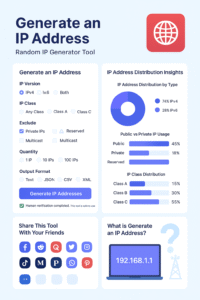
Generate an IP Addresses
Generate an IP Addresses – Random IP Generator Tool Generate an IP Addresses Random IP Generator Tool Secure & Reliable Generate Random IP Addresses Instantly
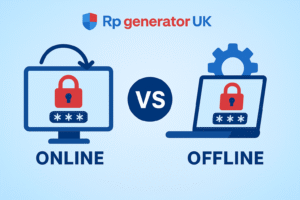
Is an Offline Random Password Generator Better Than Online?
Passwords are like the keys to your house. If someone steals your keys, they can open your door. If someone steals your password, they can
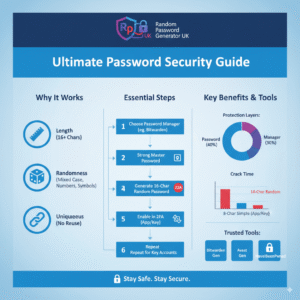
Do I create a 16-character password with a random password?
Yes — and this guide will show you exactly how to do it, why it works, and what to do next — in plain, easy
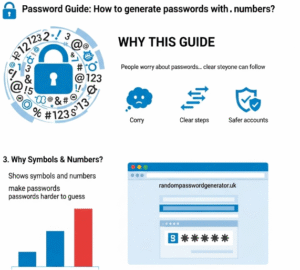
Password Guide: How to generate passwords with symbols and numbers?
Why this guide: People worry about passwords. You do not need long technical words or tricky tips. You need clear steps that anyone can
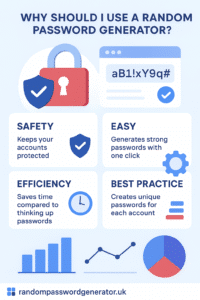
Why Should I Use a Random Password Generator? – (Beginner-Friendly Guide for Everyone)
Password Security Infographic Password Security Insights Why strong, random passwords matter for your digital safety Password Strength Comparison 123456 Weak password Weak John2025 Weak tY9!pR7@Lm4#Z
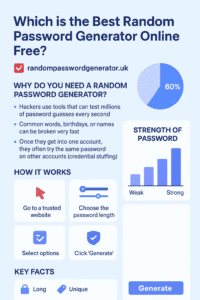
Which is the Best Random Password Generator Online Free?
In today’s digital world, almost everything we do needs a password. You need one for your email, your social media, your online banking, your shopping
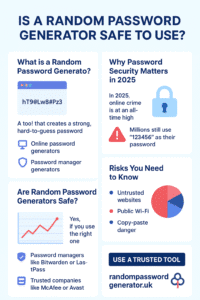
Is a Random Password Generator Safe to Use?
Introduction Is a random password generator safe to use? Many people ask this before trusting a tool that creates passwords for them. Today, almost everything