
Creating a secure password is one of the most important steps you can take to protect your online accounts. Whether it's your email, social media, or online banking, a strong password helps keep your personal information safe from hackers. In this guide, we'll walk you through easy-to-understand steps to create and manage secure passwords.

Creating a secure password is one of the most important steps you can take to protect your online accounts. Whether it’s your email, social media, or online banking, a strong password helps keep your personal information safe from hackers. In this guide, we’ll walk you through easy-to-understand steps to create and manage secure passwords.


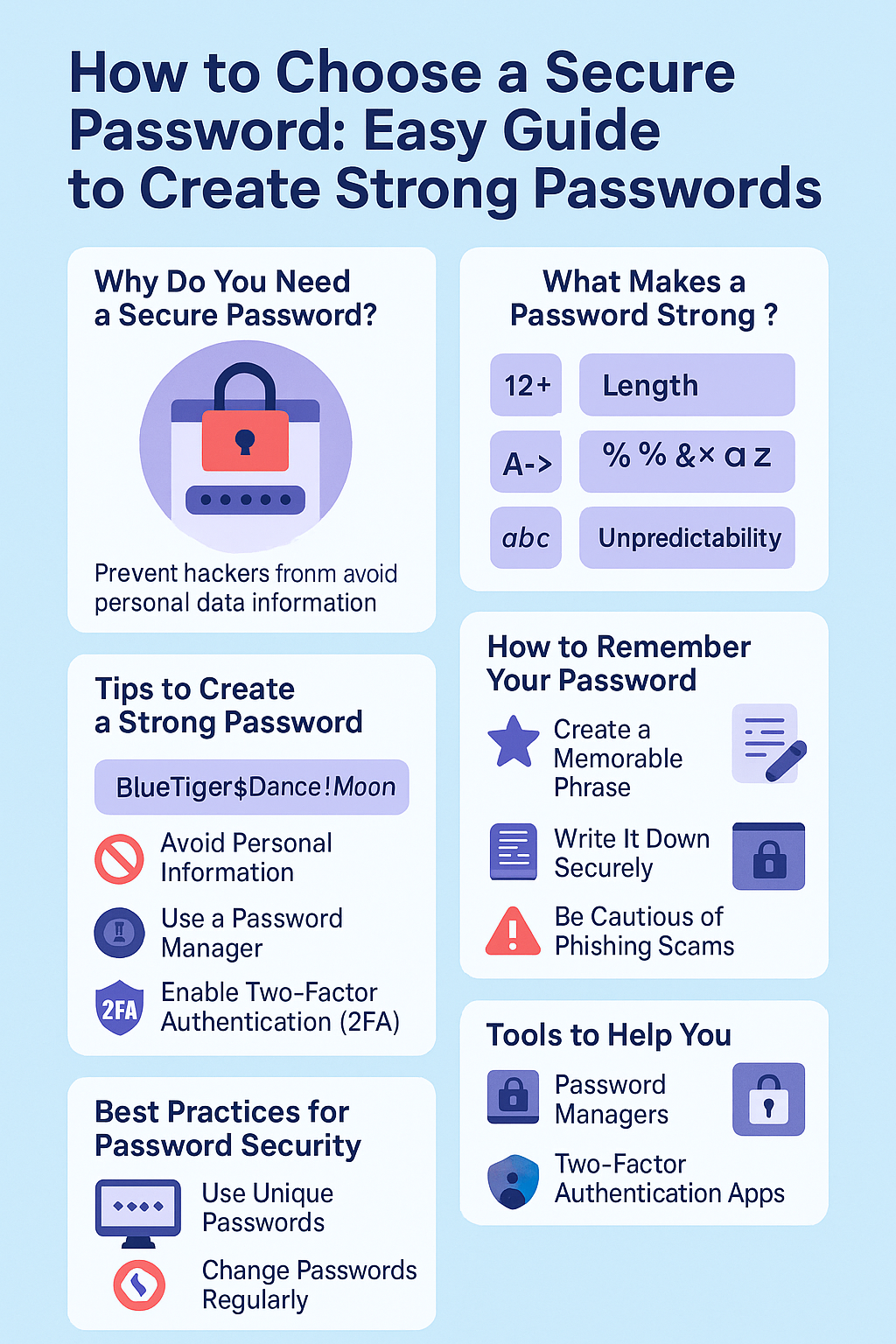
Why Do You Need a Secure Password?

Imagine you have a diary with all your personal thoughts. You wouldn't leave it open for anyone to read, right? Similarly, your online accounts hold personal informationβ€”like your messages, photos, and bank detailsβ€”that you want to keep private. A weak password is like leaving that diary open for anyone to read.
Hackers use various methods to guess passwords, such as trying common words or using special software to crack them. If your password is easy to guess, they can access your accounts and misuse your information.What Makes a Password Strong?

Imagine you have a diary with all your personal thoughts. You wouldn’t leave it open for anyone to read, right? Similarly, your online accounts hold personal informationβ€”like your messages, photos, and bank detailsβ€”that you want to keep private. A weak password is like leaving that diary open for anyone to read.

Hackers use various methods to guess passwords, such as trying common words or using special software to crack them. If your password is easy to guess, they can access your accounts and misuse your information.


What Makes a Password Strong?

A strong password has three main qualities:
Length: The longer, the better. Aim for at least 12 characters.Complexity: Use a mix of uppercase and lowercase letters, numbers, and symbols.Unpredictability: Avoid using easily guessed words like your name, birthdate, or common phrases.For example, instead of using "Password123," a stronger password would be something like "M!racle$2025#Sun".Tips to Create a Strong Password
Here are some practical tips to help you create a secure password:
Use a Passphrase: Combine random words to form a phrase. For example, "BlueTiger$Dance!Moon".Avoid Personal Information: Don't use your name, birthday, or username.Use a Password Manager: These tools can generate and store complex passwords for you.Enable Two-Factor Authentication (2FA): This adds an extra layer of security by requiring a second form of verification.

A strong password has three main qualities:

  1. Length: The longer, the better. Aim for at least 12 characters.
  2. Complexity: Use a mix of uppercase and lowercase letters, numbers, and symbols.
  3. Unpredictability: Avoid using easily guessed words like your name, birthdate, or common phrases.

For example, instead of using “Password123,” a stronger password would be something like “M!racle$2025#Sun”.


Tips to Create a Strong Password

Here are some practical tips to help you create a secure password:

  • Use a Passphrase: Combine random words to form a phrase. For example, “BlueTiger$Dance!Moon”.
  • Avoid Personal Information: Don’t use your name, birthday, or username.
  • Use a Password Manager: These tools can generate and store complex passwords for you.
  • Enable Two-Factor Authentication (2FA): This adds an extra layer of security by requiring a second form of verification.

How to Remember Your Password

A strong password is useless if you can't remember it. Here are some strategies to help:
Create a Memorable Phrase: Use a sentence or a combination of words that are meaningful to you.Write It Down Securely: If you must write your password down, keep it in a safe place.Use a Password Manager: These tools can securely store and retrieve your passwords.Best Practices for Password Security
To keep your accounts safe, follow these best practices:
Use Unique Passwords: Don't reuse passwords across different sites.Change Passwords Regularly: Update your passwords periodically.Be Cautious of Phishing Scams: Don't click on suspicious links or share your password with others.Real-Life Example
Let's say you have an online shopping account. If you use the same password for your email and your shopping account, a hacker who gains access to your email can easily access your shopping account as well. By using unique passwords for each account, you limit the damage a hacker can do.

A strong password is useless if you can’t remember it. Here are some strategies to help:

  • Create a Memorable Phrase: Use a sentence or a combination of words that are meaningful to you.
  • Write It Down Securely: If you must write your password down, keep it in a safe place.
  • Use a Password Manager: These tools can securely store and retrieve your passwords.

Best Practices for Password Security

To keep your accounts safe, follow these best practices:

  • Use Unique Passwords: Don’t reuse passwords across different sites.
  • Change Passwords Regularly: Update your passwords periodically.
  • Be Cautious of Phishing Scams: Don’t click on suspicious links or share your password with others.

Real-Life Example

Let’s say you have an online shopping account. If you use the same password for your email and your shopping account, a hacker who gains access to your email can easily access your shopping account as well. By using unique passwords for each account, you limit the damage a hacker can do.


Tools to Help You

Consider using these tools to manage your passwords:
Password Managers: Tools like LastPass, 1Password, and Bitwarden can generate and store strong passwords.Two-Factor Authentication Apps: Apps like Google Authenticator or Authy add an extra layer of security.Conclusion:
Creating and maintaining secure passwords is essential in today's digital world. By following the tips and practices outlined in this guide, you can significantly reduce the risk of unauthorized access to your accounts. Remember, a strong password is your first line of defense against cyber threats.
If you need further assistance or have questions about password security, feel free to ask. Stay safe online!
Consider using these tools to manage your passwords:

  • Password Managers: Tools like LastPass, 1Password, and Bitwarden can generate and store strong passwords.
  • Two-Factor Authentication Apps: Apps like Google Authenticator or Authy add an extra layer of security.

Conclusion:

Creating and maintaining secure passwords is essential in today’s digital world. By following the tips and practices outlined in this guide, you can significantly reduce the risk of unauthorized access to your accounts. Remember, a strong password is your first line of defense against cyber threats.

If you need further assistance or have questions about password security, feel free to ask. Stay safe online!

Leave a Reply

Your email address will not be published. Required fields are marked *

Explore More

Why Using a Random Password Generator Can Make Your Online Life Safe Today in 2025?

Hi! Do you use easy passwords like β€œ123456” or β€œMyDog22”? I’ve done that too, and let me tell you, it’s like leaving your door unlocked for hackers. A random password

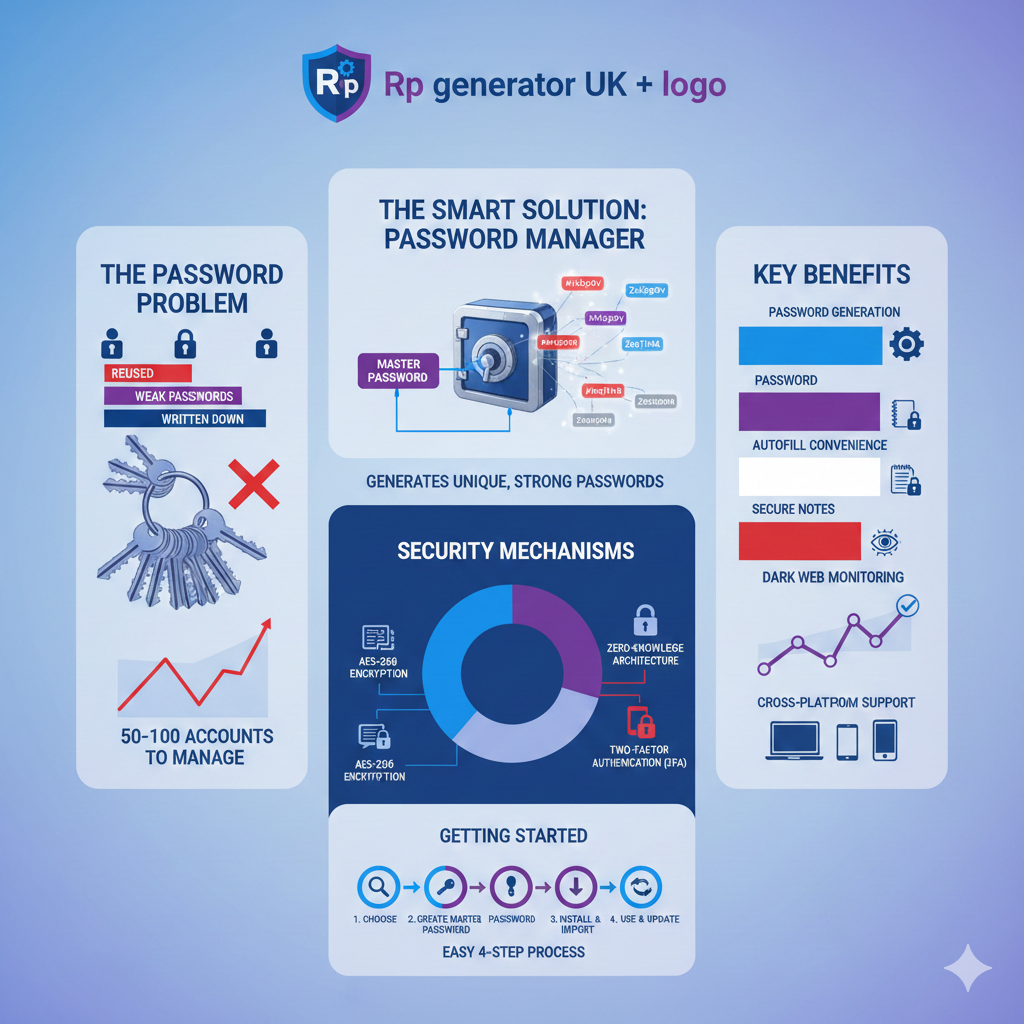
Why is a password manager one of the smartest things you buy?

Why is a password manager one of the smartest things you buy2 1

Introduction:  Imagine you have a hundred different doors in your life, and each one needs a unique key. Your front door, your car, your office, your mailbox, your locker at

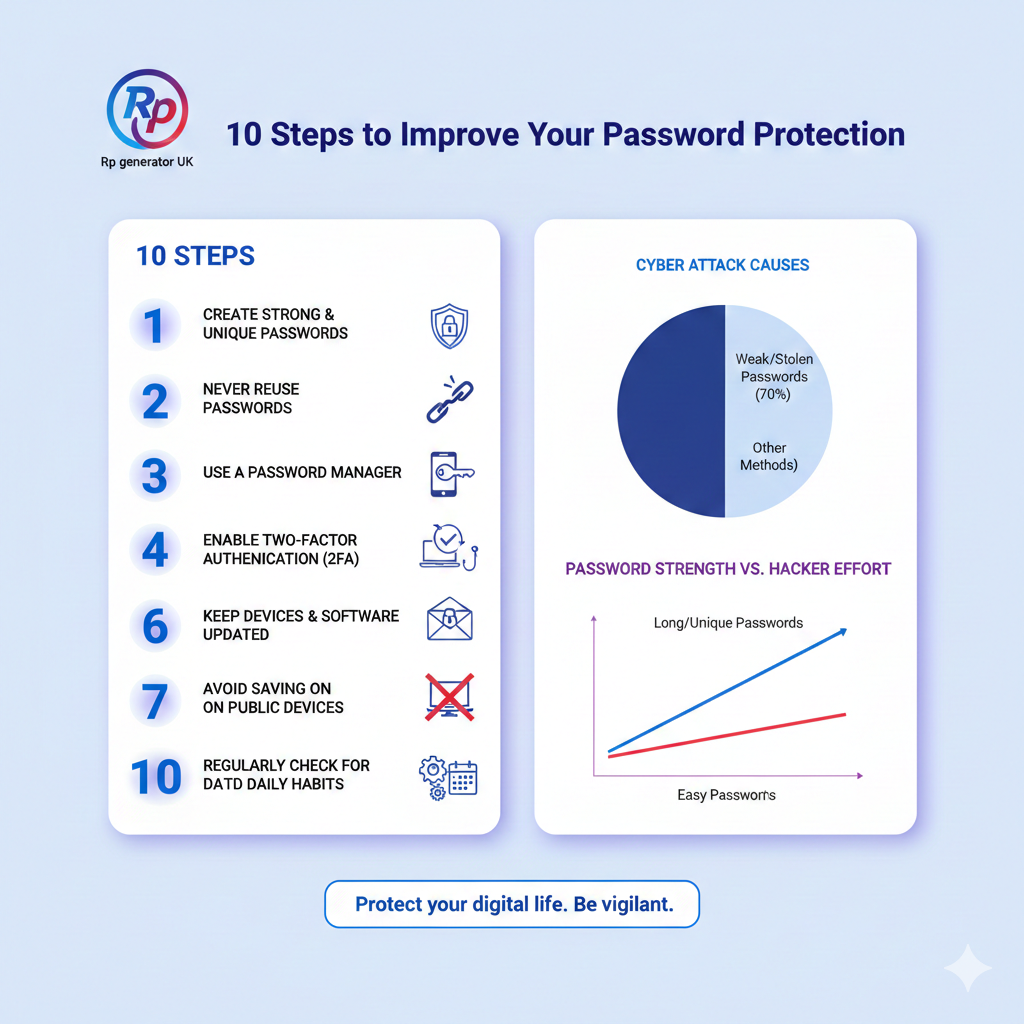
10 Steps to Improve Your Password Protection

Gemini Generated Image ljr492ljr492ljr4 1

Introduction:  In today’s digital world, β€œpassword protection” is no longer just a technical term used by IT experts. It is something every internet user must understand. From email accounts and