
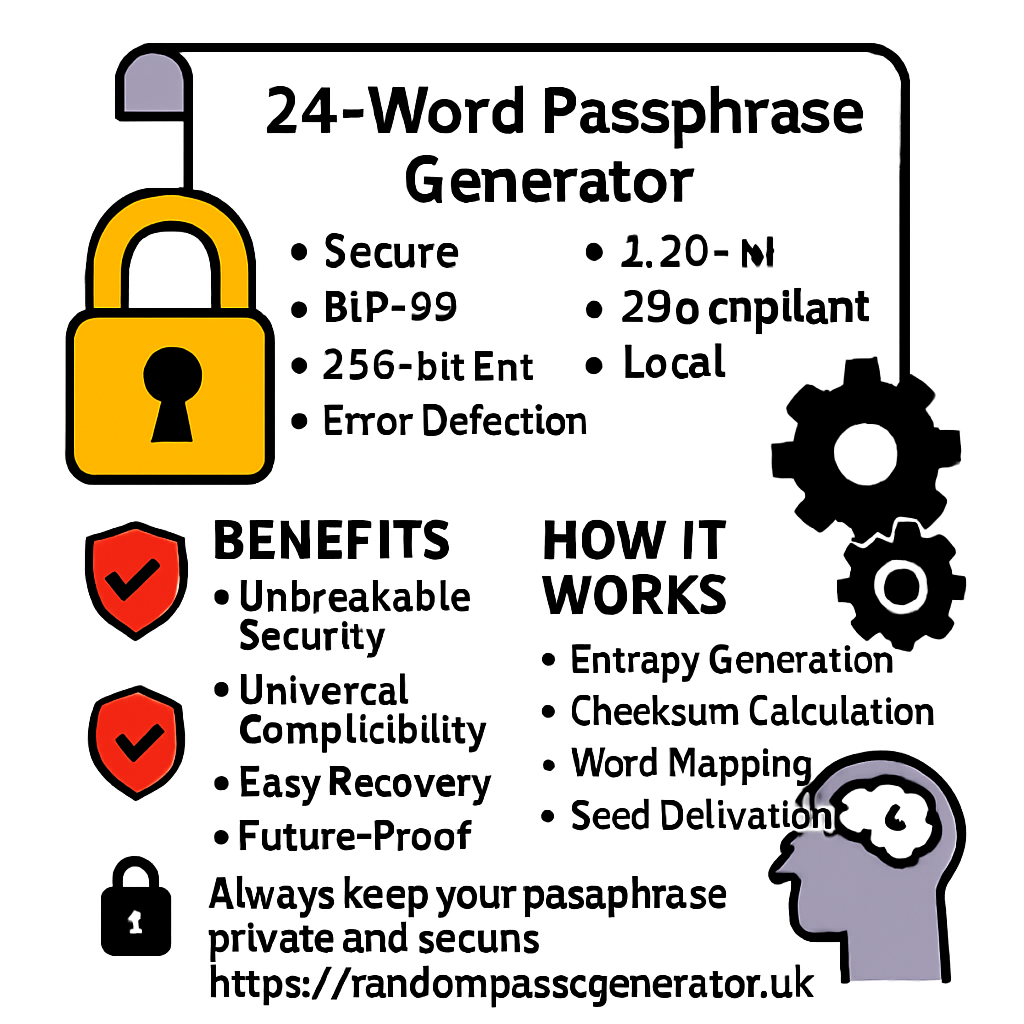
24-Word Passphrase Generator
Generate cryptographically secure 24-word passphrases for wallet recovery, master passwords, and encryption keys. Advanced security features, AI-powered analysis, and offline-safe generation.
Passphrase Generator
Passphrase Settings
Language & Format
Additional Options
Passphrase Strength
24-Word Passphrase Examples
Below are example passphrases generated by our tool. Click "Use This Example" to load them into the generator. Remember: Never use these exact passphrases for real security purposes - always generate new ones. Each example demonstrates the cryptographic strength and random word selection that makes 24-word passphrases virtually impossible to guess or brute-force. These examples follow the BIP39 standard used by most cryptocurrency wallets and security applications, ensuring compatibility with industry-standard recovery systems.
What is a 24-Word Passphrase Generator?
A 24-word passphrase generator is a sophisticated cryptographic tool designed to create highly secure, human-readable sequences of 24 words that serve as recovery phrases for cryptocurrency wallets, master passwords for password managers, encryption keys, and other security-critical applications. These passphrases are based on the BIP39 (Bitcoin Improvement Proposal 39) standard, which defines a mnemonic code for generating deterministic wallets. Each word in the passphrase comes from a predefined list of 2048 carefully selected words, making the passphrase easier to write down, remember, and verbally communicate compared to random strings of characters while maintaining exceptional cryptographic strength.
Standard length for maximum security
Cryptographic strength
All processing happens locally
Virtually impossible to guess
The 24-word format provides 256 bits of entropy (randomness), which is considered secure against brute-force attacks even by quantum computers for the foreseeable future. With 2048 possible words at each position, there are 2048²⁴ possible combinations - an astronomically large number (approximately 2.96 × 10⁷⁹) that makes guessing the correct passphrase computationally infeasible. This level of security is recommended for protecting high-value digital assets, sensitive information, and critical infrastructure where the consequences of compromise would be severe.
How to Use the 24-Word Passphrase Generator
Using our passphrase generator is simple, secure, and requires no technical expertise. Follow these comprehensive steps to create your own cryptographically secure passphrase: First, adjust the settings to match your security requirements using the intuitive sliders and toggle buttons. You can customize the word count (12-30 words), language, separator type, and additional options like capitalization, numbers, or symbols. Once satisfied with your settings, click the "Generate New" button to create a fresh, random passphrase. The tool will immediately display your new passphrase in an easy-to-read grid format, with each word clearly numbered and presented.
Usage Process Timeline
After generation, carefully verify the strength of your passphrase using the integrated strength meter, which provides a percentage score and estimated crack time. For optimal security, we recommend achieving a score of 95% or higher. Once verified, securely save your passphrase by clicking the "Copy to Clipboard" or "Download TXT" buttons. Always store your passphrase in multiple secure, offline locations such as a fireproof safe, safety deposit box, or specialized metal backup plates. Never store passphrases digitally in plain text, email, cloud storage, or screenshots unless using encrypted password managers specifically designed for this purpose.
Benefits of Using a 24-Word Passphrase Generator
24-word passphrases offer significant advantages over traditional passwords and shorter passphrases for critical security applications. The primary benefit is unbreakable cryptographic security: with 256 bits of entropy, these passphrases are resistant to brute-force attacks even from future quantum computers. The sheer number of possible combinations (2048²⁴) makes them practically impossible to guess through any computational means currently known or foreseeable. Unlike random character strings, word-based passphrases are human-readable, making them easier to write down accurately, read back correctly, and verbally communicate when necessary without compromising security.
Security Strength Comparison
Additional benefits include standard compatibility with the BIP39 protocol, ensuring interoperability with most cryptocurrency wallets, password managers, and security tools worldwide. This standardization eliminates vendor lock-in and ensures your passphrase will work across different platforms and devices. The built-in checksum validation provides error detection, helping prevent transcription errors that could lock you out of your assets. Furthermore, the deterministic nature of these passphrases means the same seed always produces the same keys, enabling reliable recovery across multiple devices. These features collectively make 24-word passphrases the gold standard for protecting high-value digital assets, sensitive information, and critical infrastructure.
How the Generator Works - Technical Explanation
Our passphrase generator employs advanced cryptographic principles and algorithms to ensure maximum security and true randomness. The process begins with entropy generation: the tool collects cryptographically secure random bytes using your browser's Web Crypto API, which provides access to hardware-based random number generators when available. This entropy source is far superior to pseudo-random number generators and ensures unpredictable output. For BIP39-compatible passphrases, the tool then calculates a SHA-256 cryptographic hash of the entropy to create a checksum. The checksum is appended to the original entropy, creating a binary string that will be converted into words.
Generate cryptographically secure random bytes
Calculate SHA-256 hash for error detection
Convert binary to word indices (0-2047)
Map indices to BIP39 standard words
The combined entropy and checksum are then split into 11-bit chunks (since 2¹¹ = 2048, matching the wordlist size). Each 11-bit chunk is converted to a decimal number between 0 and 2047, which serves as an index into the selected language's wordlist. For 24-word passphrases, the tool generates 256 bits of entropy plus 8 bits of checksum, totaling 264 bits that are converted to 24 words (each representing 11 bits: 24 × 11 = 264 bits). All processing occurs locally in your browser using JavaScript - no data is sent to external servers. The wordlists are embedded in the application code, and the random number generation uses secure browser APIs. This architecture ensures that even if our website were compromised, an attacker couldn't intercept or reconstruct generated passphrases.
Why Choose This 24-Word Passphrase Generator
Our tool stands out from other passphrase generators due to its comprehensive feature set, unwavering security focus, and user-friendly design optimized for both beginners and experts. Unlike many online generators that process data on servers (creating potential vulnerabilities), our tool runs entirely in your browser. This zero-trust architecture means your passphrases never leave your device, protecting them from network interception, server breaches, malicious logging, or third-party surveillance. We've designed this tool with security as the foremost priority, implementing industry best practices and transparently documenting our methodology so users can verify the security themselves.
Feature Comparison
| Feature | Our Tool | Other Generators |
|---|---|---|
| Offline Operation | ✅ 100% Client-Side | ❌ Often Server-Side |
| Cryptographic Security | ✅ Web Crypto API | ❌ Basic Randomness |
| Customization Options | ✅ Extensive Settings | ❌ Limited Options |
| Strength Analysis | ✅ Real-Time Metrics | ❌ Basic or None |
| Export Formats | ✅ Multiple Formats | ❌ Copy Only |
| Privacy Policy | ✅ Zero Data Collection | ❌ Often Collect Data |
We provide comprehensive security information, best practices, and educational resources to help users understand and properly use their generated passphrases. Our commitment to transparency and security education sets us apart from basic generator tools that provide output without context or guidance. The tool includes real-time strength analysis, estimated crack time calculations, and visual feedback to help users make informed security decisions. Additionally, we offer multiple export options (clipboard, text file), example generation for learning purposes, and a completely ad-free, tracking-free experience. These features collectively create a superior user experience while maintaining the highest security standards.
Does It Store Data? (It Should Not)
Absolutely not. Our 24-word passphrase generator is designed with a strict zero-data-storage policy and operates on a privacy-by-design architecture. Here's how we ensure your complete privacy and security: All generation happens 100% client-side in your browser using JavaScript. No passphrase data, generation parameters, or usage statistics are ever transmitted to our servers or any third parties. We don't use tracking cookies, analytics pixels, fingerprinting technologies, or any form of user monitoring. The tool doesn't require registration, doesn't create user accounts, and doesn't maintain any session data. Even our web server is configured to not log IP addresses or request details when serving the tool page.
For additional security, we recommend using the tool in a private/incognito browsing session and clearing your browser cache after generation if you're using a shared device. While the tool itself doesn't store data, browsers may cache the page, and clipboard history might retain copied passphrases unless manually cleared. Our source code is transparent and can be inspected in your browser's developer tools (F12). We encourage security-conscious users to verify that no network requests are made during passphrase generation by checking the Network tab. This openness and verifiability are core principles of our security-first approach. You can even save the webpage (Ctrl+S) and run it completely offline, disconnected from the internet, for maximum security when generating passphrases for highly sensitive applications.
Security Information & Best Practices
While our tool generates highly secure passphrases, proper handling, storage, and usage are equally important for maintaining security. Follow these comprehensive security best practices to ensure your passphrases remain protected: Always generate passphrases on a trusted, malware-free device in a private environment. Avoid public computers, library terminals, or shared devices where keyloggers or screen capture malware might be present. Never share your passphrase with anyone through any medium - not even family members or technical support personnel. Be cautious of phishing attempts: always verify you're on the correct website (check the URL and SSL certificate) and never enter generated passphrases on any other website or form.
Security Practice Effectiveness
For physical storage, write down passphrases on acid-free paper with a permanent ink pen (not a printer, which can be compromised). Store multiple copies in geographically separate secure locations such as fireproof safes, safety deposit boxes, or with trusted individuals who understand the importance of security. Consider specialized metal backup plates (like Cryptosteel or Billfodl) for protection against fire, water, and physical degradation. Test recovery before transferring significant assets to ensure you've recorded the passphrase correctly. Never store passphrases in plain text files, emails, cloud storage, note-taking apps, or password managers not specifically designed for seed phrases. Regularly review and update your security practices as new threats emerge, and consider multi-signature setups for extremely high-value assets to eliminate single points of failure.
Live Statistics & Counters
Our tool includes real-time statistics and counters that demonstrate the scale and security of 24-word passphrase generation. These live metrics update dynamically and provide educational insight into the cryptographic principles protecting your assets. The numbers illustrate why properly generated 24-word passphrases are considered virtually unbreakable through brute force methods, even with advanced computing resources. Understanding these statistics helps users appreciate the security margin provided by cryptographically sound passphrase generation and make informed decisions about their digital asset protection strategies.
The astronomical numbers displayed represent the practical impossibility of brute-forcing a properly generated 24-word passphrase. For context, 2.96 × 10⁷⁹ possible combinations is more than the estimated number of atoms in the observable universe (approximately 10⁸⁰). Even with a theoretical computer capable of checking one trillion (10¹²) passphrases per second, it would take approximately 10⁶⁸ years to exhaust all possibilities - vastly longer than the age of the universe (13.8 × 10⁹ years). These statistics assume the passphrase was generated with true cryptographic randomness and hasn't been compromised through poor storage, phishing, or malware. The "Passphrases Generated" counter tracks usage within your current session only (stored locally) and resets when you close the browser, maintaining our commitment to zero data retention.
User Instructions & Guidance
To maximize security and ensure proper usage of your generated passphrases, follow these comprehensive user instructions and guidance. Begin by carefully selecting your generation parameters: choose 24 words for maximum security (suitable for cryptocurrency wallets and master passwords), 18 words for high security (suitable for most applications), or 12 words for adequate security with easier memorization. Select your preferred language (English recommended for widest compatibility) and separator (space is standard). Consider enabling the checksum option for error detection during recovery. Once parameters are set, generate multiple passphrases and compare their strength scores, selecting the highest scoring option for critical applications.
Set word count, language, and options
Create multiple passphrases
Compare strength scores
Store in multiple locations
After generation, immediately save your passphrase using the provided export options. For optimal security, use both the copy function (for temporary use) and download function (for permanent storage). Verify the passphrase works correctly by testing recovery in the target application with a small amount or dummy data before committing significant assets. When storing physically, consider using a passphrase storage system that separates the words across multiple locations or uses encryption for an additional security layer. Regularly review your storage locations and methods, updating them as your security needs evolve or new best practices emerge. Remember that the security chain is only as strong as its weakest link - proper usage is as important as strong generation.
User Warnings & Best Practices
CRITICAL WARNINGS: Never share your passphrase with anyone through any medium. Avoid generating passphrases on public or shared computers. Don't store passphrases in plain text files, emails, cloud storage, or note-taking apps. Never screenshot or photograph your passphrase. Be extremely cautious of phishing sites pretending to be this tool - always verify the URL and SSL certificate. Don't use passphrases generated by others, including examples from this page. Test recovery with minimal value before committing significant assets. Consider the legal implications in your jurisdiction - some countries may have restrictions on cryptography use. Understand that loss of your passphrase means permanent, irreversible loss of access to anything protected by it. There is no password recovery, account reset, or technical support that can help if you lose your passphrase.
Security Risk Assessment
BEST PRACTICES: Generate passphrases on an air-gapped device when possible. Write down passphrases on acid-free, archival-quality paper with permanent ink. Store written copies in multiple secure, geographically separate locations (fireproof safe, safety deposit box, etc.). Consider specialized metal backup solutions for protection against physical damage. Use passphrase encryption or splitting for additional security layers. Regularly test recovery procedures to ensure you can access your assets when needed. Educate trusted family members about recovery procedures without revealing the actual passphrase. Keep software and antivirus updated on devices used for generation. Consider using a dedicated, clean device for generating and storing critical passphrases. Document your security procedures and storage locations in a separate secure document. Review and update your security practices annually or when your threat model changes. Remember that security is a continuous process, not a one-time action.
Frequently Asked Questions (30 FAQs)
Find answers to common questions about 24-word passphrase generators, security considerations, usage scenarios, and technical details. These FAQs address the most common concerns and misconceptions users have about passphrase security and proper usage. If you have additional questions not covered here, we recommend consulting official documentation from your wallet provider or security application and seeking advice from qualified security professionals for specific use cases.
SEO Tools Dashboard
Password & Key Generators
12 toolsIP Address & Network Tools
6 toolsName Generators
5 toolsPhone Number Generators
3 toolsAI Content Generators
2 tools